 Refrag
Defender – CS2 Training Mode By Refrag
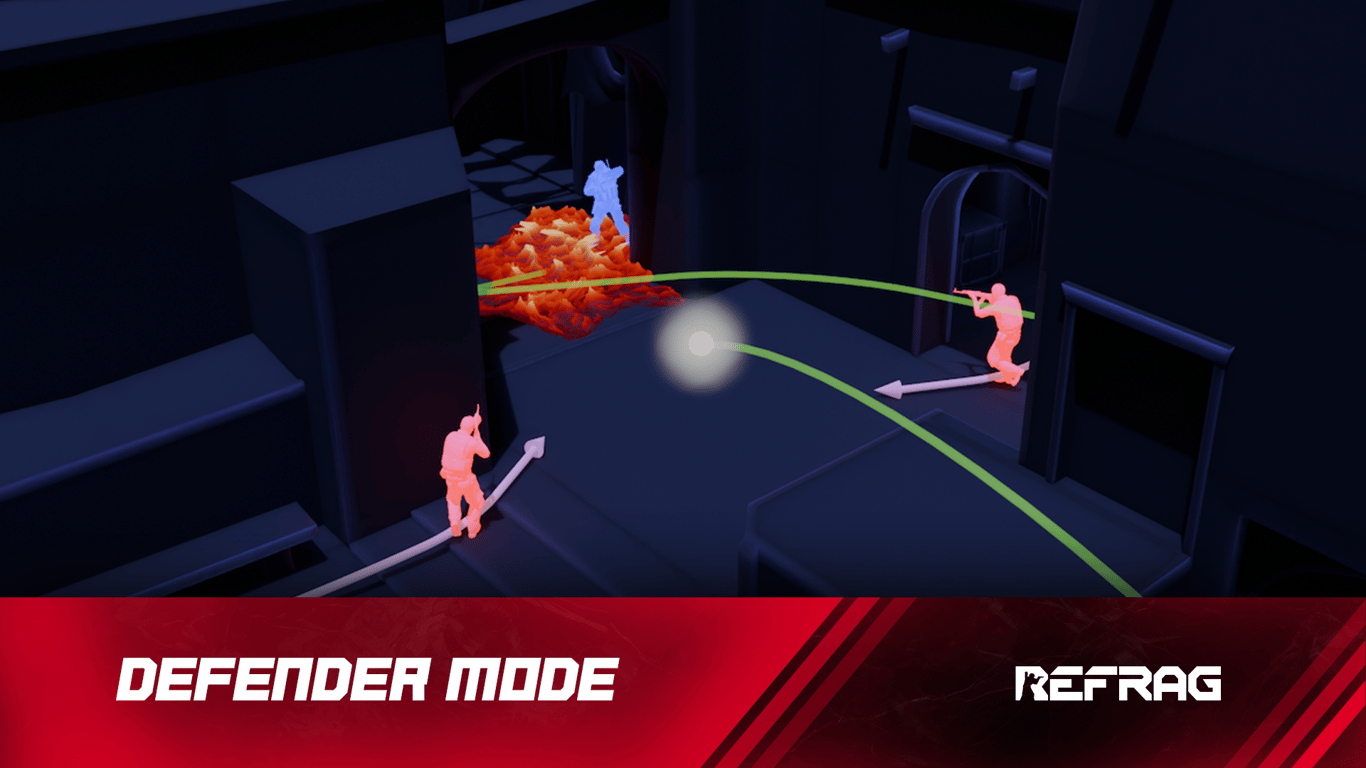
Sometimes you need some high-pressure, high-intensity training to get you sharp and ready for real, in-game situations. You need to train your defensive gameplay – isolating fights, reacting to utility, and holding down a position with multiple enemies swinging you. Luckily for you, Defender is here to help.
What is Defender?
Defender is a high-intensity training mode built to replicate the pressure of real, in-game situations. Face intelligent bots that use utility, varying swings, and multi-angle pressure to overwhelm your position.
Defender is the closest thing to live match practice. It forces you to perfect your movement, reactions, and clean gunfights, sharpening your time-to-damage, time-to-kill, accuracy, and defensive mechanics under constant pressure.
Performing well in Defender relies on:
- Intelligent fight isolation
- Reaction speed
- Recoil control
- Fighting under pressure
After spending some time on Defender, you will feel noticeably more confident and calm in high-pressure situations. This mode is great to get you warm and ready for your actual games.
How to load Defender on Refrag
Here’s how to load Defender mode on Refrag:
From the Refrag Dashboard
- Hit Play Now or go to https://play.refrag.gg/play
- Under Hold, select Defender, or search for it using the Search bar
- Select your map and hit Start Server at the bottom
From a Refrag Server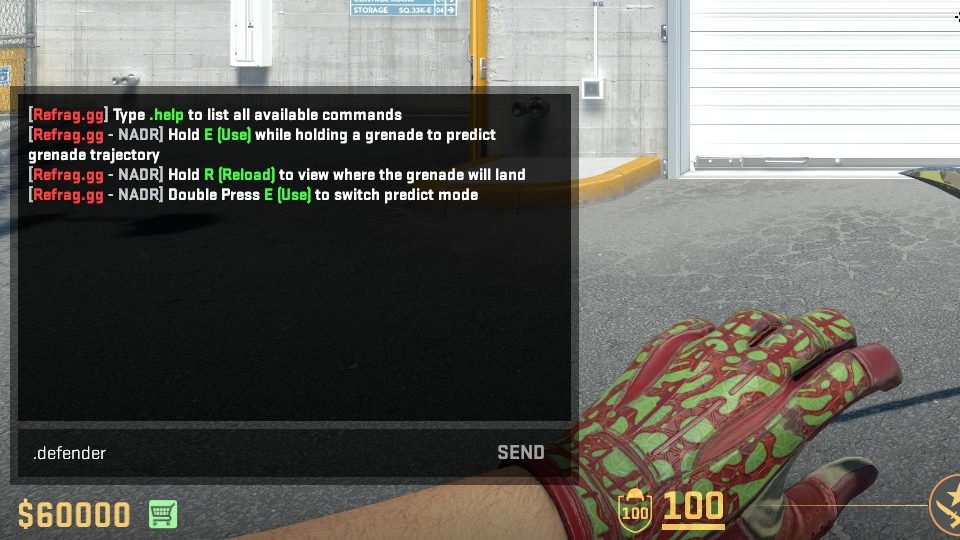
In chat, simply type .defender to switch to Defender mode.
Useful Commands For Defender
Below is a list of the most commonly used commands for Defender mode, and a brief explanation of what they do.
.smart– Sets Creator Studio to Smart mode (automatically adjusts the difficulty based on your skill).prac– Sets Creator Studio to Practice mode (you can change the settings yourself).comp– Sets Creator Studio to Competitive mode (uses the default settings provided by the creator of the set).elo <number>– sets the Elo of the training session.presets <name>– Changes the loadout of the bots (available presets: pistol, save, eco, force, default, AWP).easy– Sets the difficulty of the training session to easy.normal– Sets the difficulty of the training session to normal.hard– Sets the difficulty of the training session to hard
Recommended Posts
 Samuel Allen
CS2 101: What Is A Default?
 Samuel Allen


