Refrag Coach

Every match becomes a learning opportunity. Coach analyzes every game you play, finds your weaknesses, and builds you a custom routine. Train efficiently and measure your improvement, so you can play smarter.

Just played: Dust2 13 : 10
Refrag Coach AI Coach Beta

Use safer opening routes on T side. Jiggle for information, ,WhyOn T side, 5 of your 10 deaths were the opening kill, or 50.0%, against 14.7% typically seen in these spots. You gave up the first death too often this match, so review each early-round death. and avoid dry-swinging common CT angles. Clear multi-player holds with a teammate before committing. If nobody can trade you, WhyYou took 3 of 12 T-side duels, or 25.0%, into spots held by at least two enemies, compared with 11.2% typically. Review those fights and check whether you were isolated or had a trade ready. and take a different route.

Next steps

Watch the lesson Done Taking first contactAcademy lesson

Train it Now Prefire, Dust2Set by your coach

Test it in a match Next MatchmakingDust2, Retakes

Personalized Training at the click of a button

Refrag Coach automatically analyzes your match data and turns it into personalized in-game training exercises, focusing on what you specifically need to improve.

How am I performing?

Match Tracking

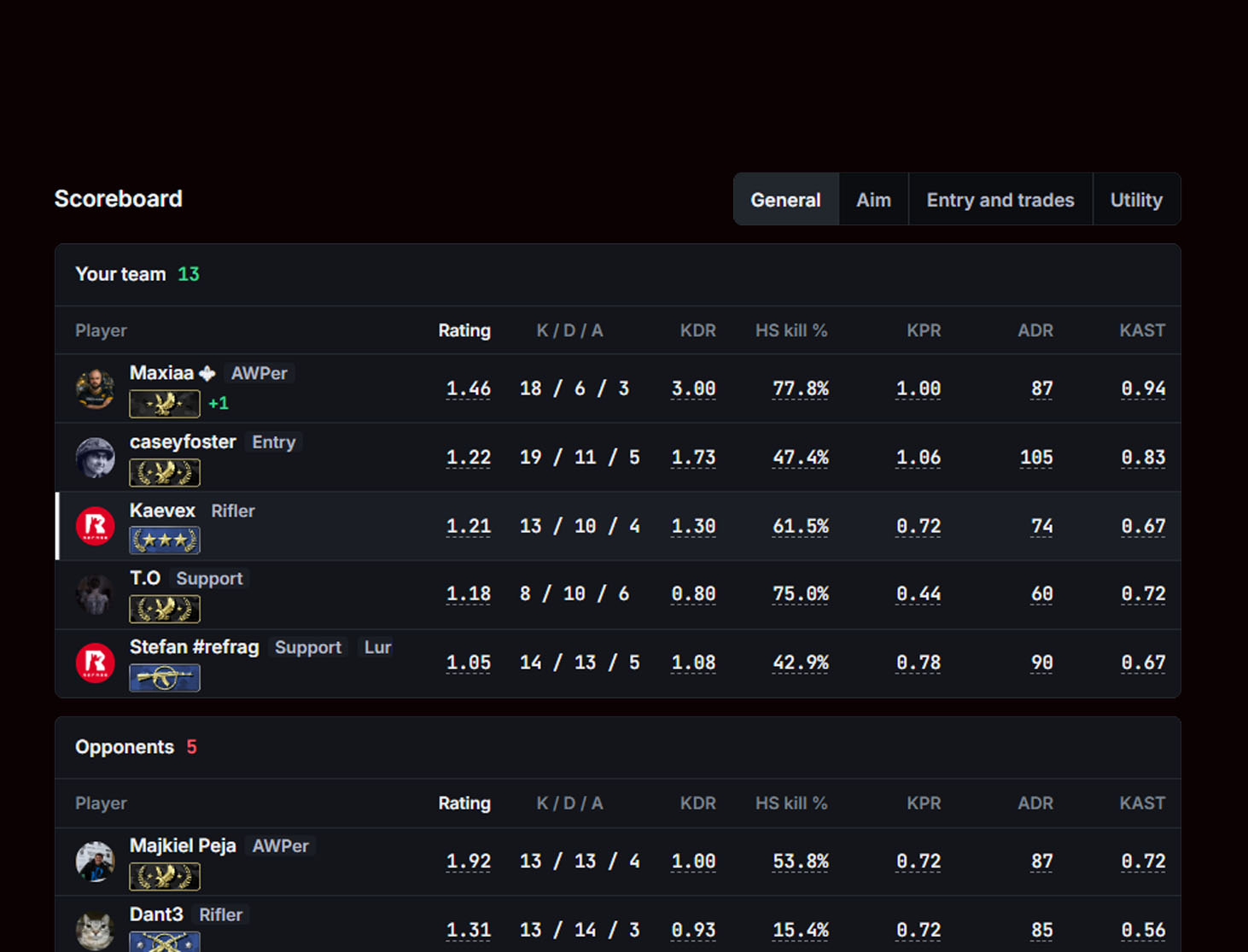
Instantly review your performance data after any competitive match. Coach tracks your games across Premier, Competitive, FACEIT, and Refrag Matchmaking, so you can track your performance on every platform in one place.
What does this data mean?

Detailed Analysis

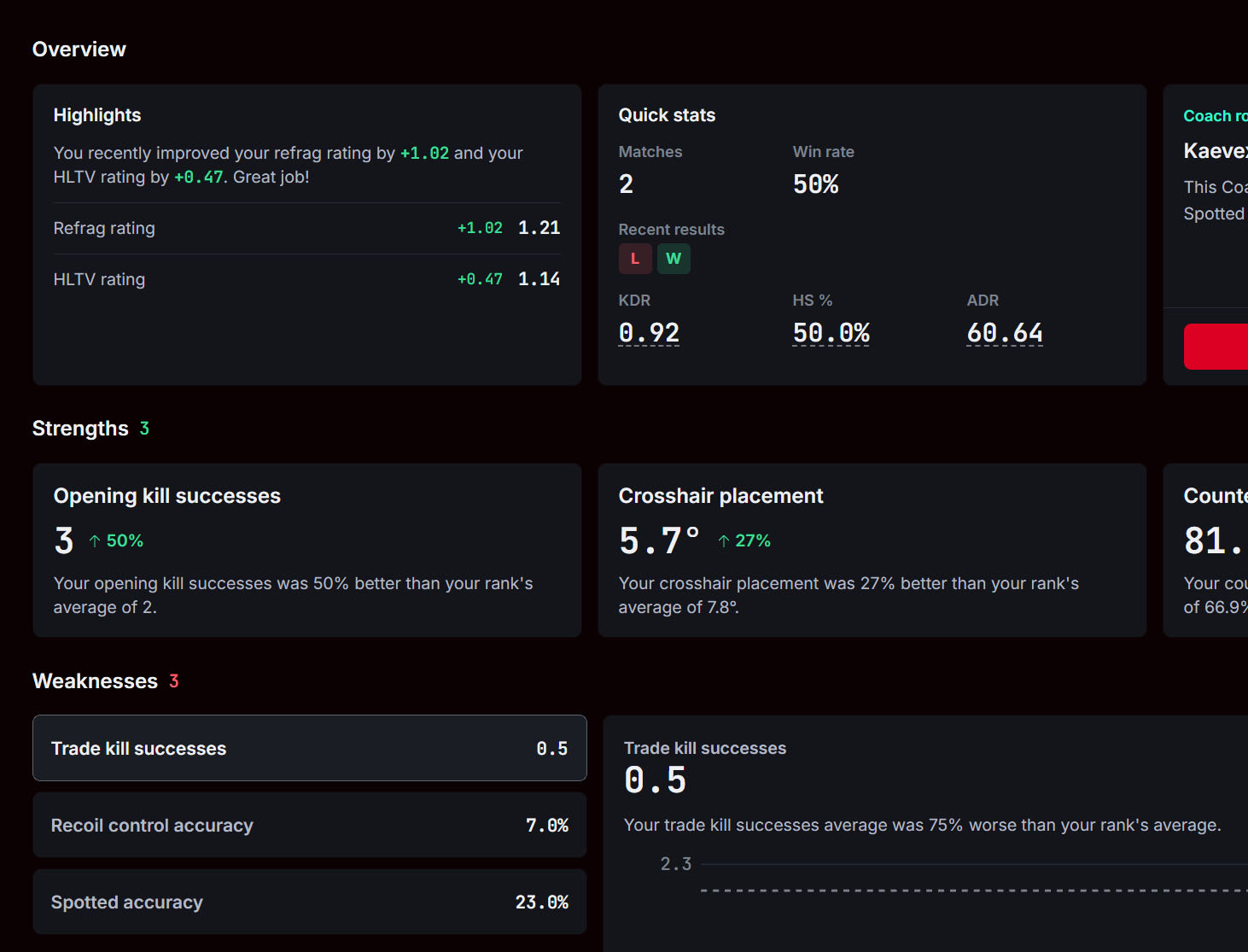
Refrag Coach helps you understand your gameplay with detailed statistics based on your performance. The more games you play, the deeper the data. Simply put, Coach helps you play smarter.

What do I need to do?

Coach Feedback

Refrag Coach does more than just analyze your games; it explains the data. Coach gives you detailed advice on how to improve immediately, so you can discover your strengths, weaknesses, and unique playstyle.

Just played: Dust2 13 : 10
Refrag Coach AI Coach Beta

Use safer opening routes on T side. Jiggle for information, ,WhyOn T side, 5 of your 10 deaths were the opening kill, or 50.0%, against 14.7% typically seen in these spots. You gave up the first death too often this match, so review each early-round death. and avoid dry-swinging common CT angles. Clear multi-player holds with a teammate before committing. If nobody can trade you, WhyYou took 3 of 12 T-side duels, or 25.0%, into spots held by at least two enemies, compared with 11.2% typically. Review those fights and check whether you were isolated or had a trade ready. and take a different route.

Next steps

Watch the lesson Done Taking first contactAcademy lesson

Train it Now Prefire, Dust2Set by your coach

Test it in a match Next MatchmakingDust2, Retakes

How do I find my Coach feedback?

Refrag Bot

Thanks to our Steam integration, your match analysis is always just moments away. Once your game concludes, our bot delivers instant feedback, messaging you a direct link to your detailed match breakdown.

The Refrag bot sending match feedback on Steam

Frequently asked Questions

What is Refrag Coach?

Refrag Coach is an AI coach for CS2, built on our own AI model. The model finds the decisions that cost you rounds in every match you play, and Refrag Coach uses them to build custom training routines for you.

Which matches does Refrag Coach track?

Refrag Coach tracks your Premier, Competitive, Wingman, FACEIT and GamersClub matches, and every match played on Refrag's own matchmaking queues. It also covers all pro matches on HLTV. Everything shows in one place.

How do I get my match review?

When you finish a game, Refrag Coach processes the demo of your match automatically. Once the review is ready, the Refrag bot sends you a Steam message with a direct link to your match breakdown.

Which plan includes Refrag Coach?

Core includes Refrag Coach with match tracking and your stats. Prime adds coach feedback after every match.

Ready to play smarter?

Sign up for free